Pixs
Your email, connected to your workflow.
A Pixel Lab product that connects to your existing mail server over IMAP and SMTP and brings email, calendar and notes into one workspace. Summaries, translations and reply drafts run on a local model service on our own infrastructure, not on external providers.
A Pixel Lab product. pixs.tr

What Pixs actually is
Pixs is an email client. It connects to your own mail server over IMAP and SMTP, and brings your correspondence, calendar and notes into a single workspace. Mail hosting, domains and account provisioning are outside the scope of Pixs; those are assessed as a separate service.
Initially for teams using Pixel Lab mail infrastructure. Compatibility with other server configurations is assessed individually.
Product screens
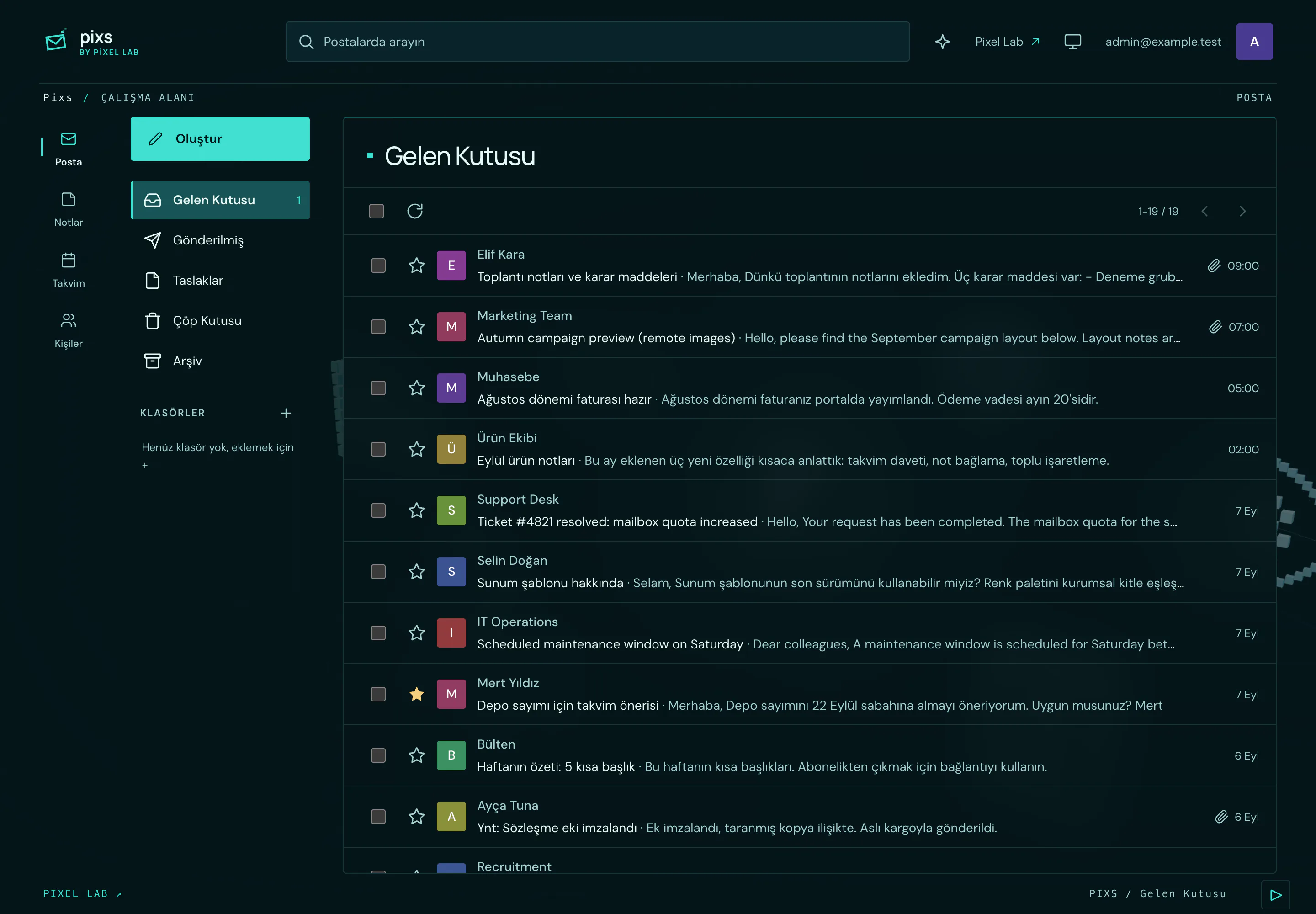
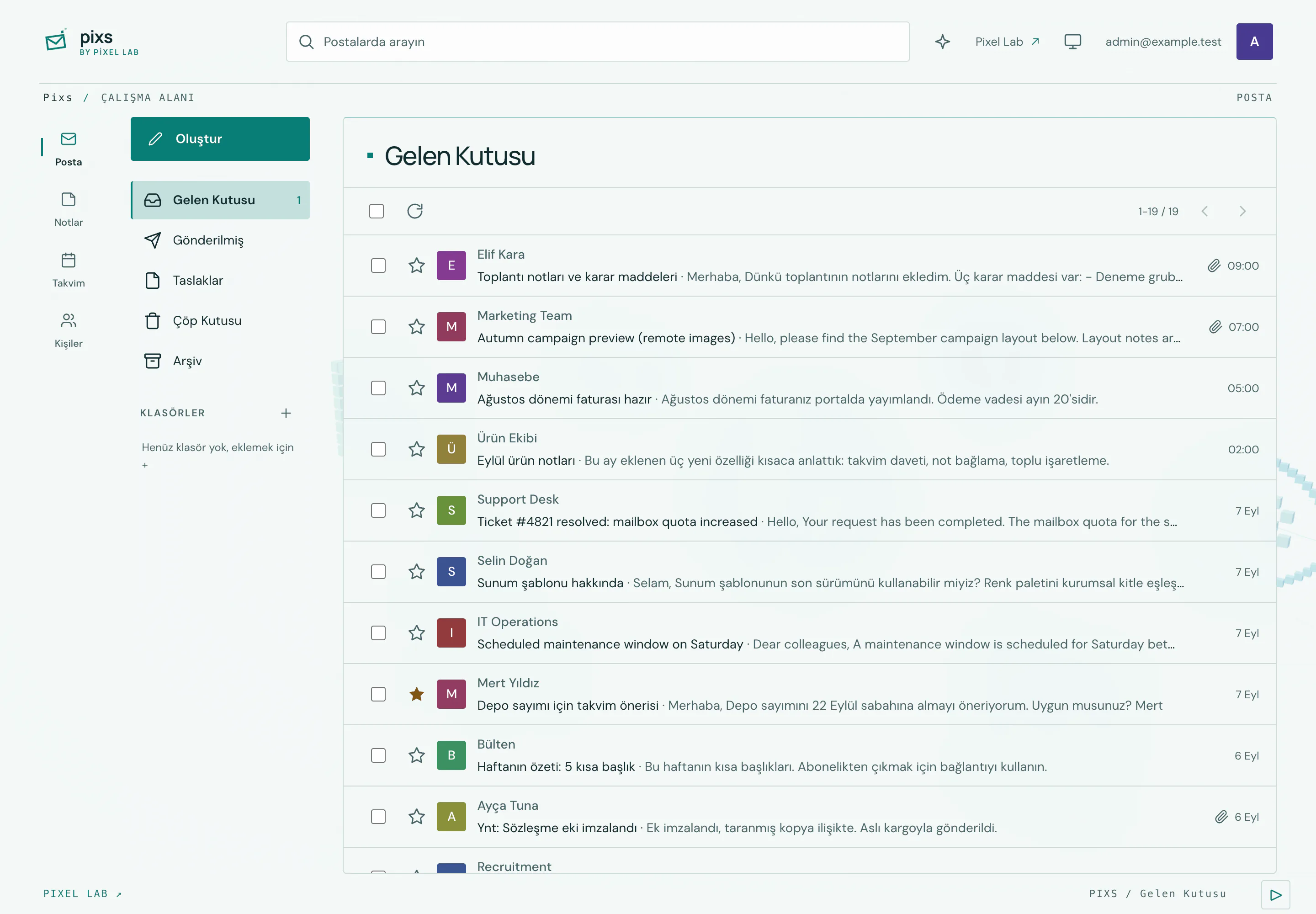
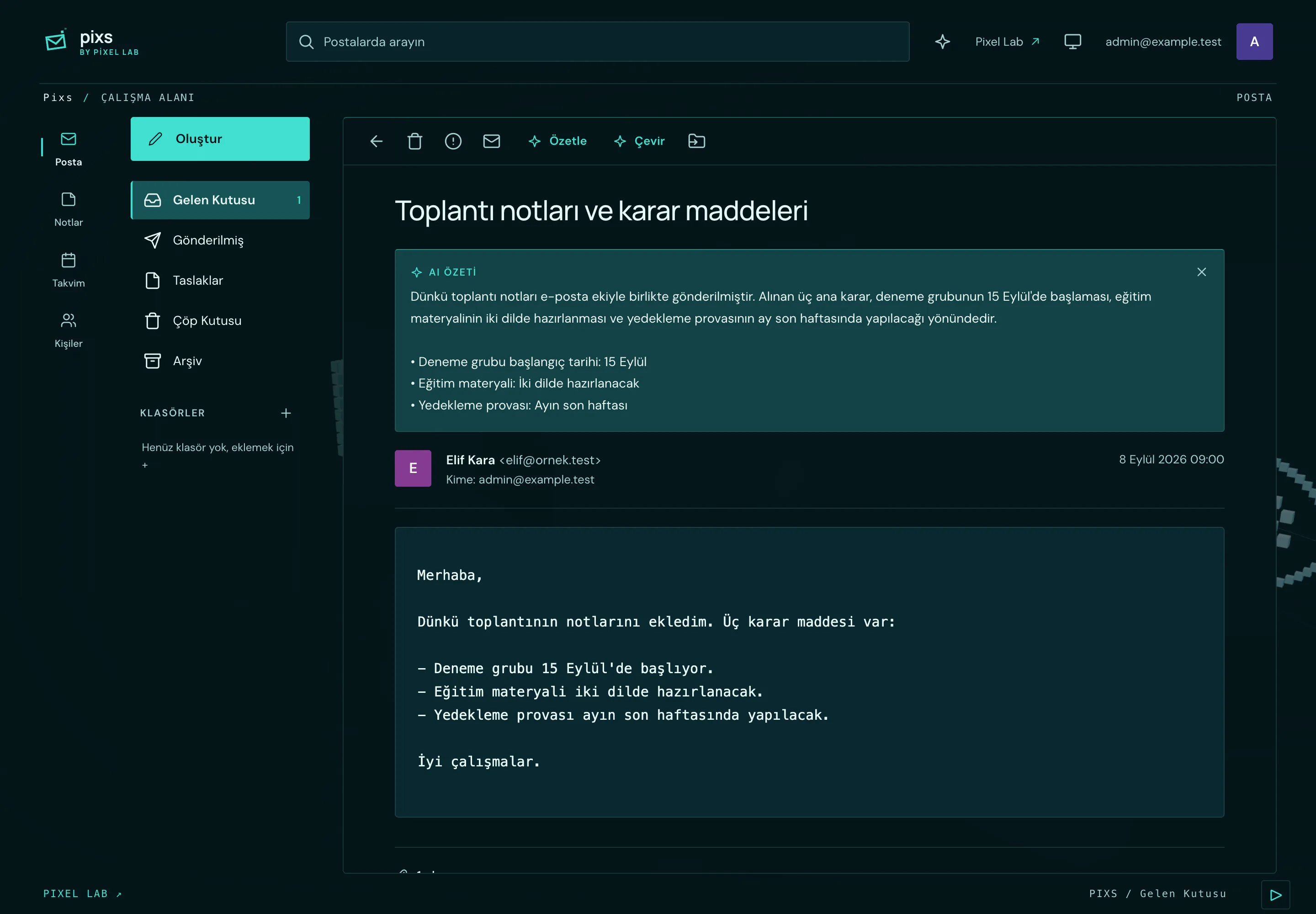
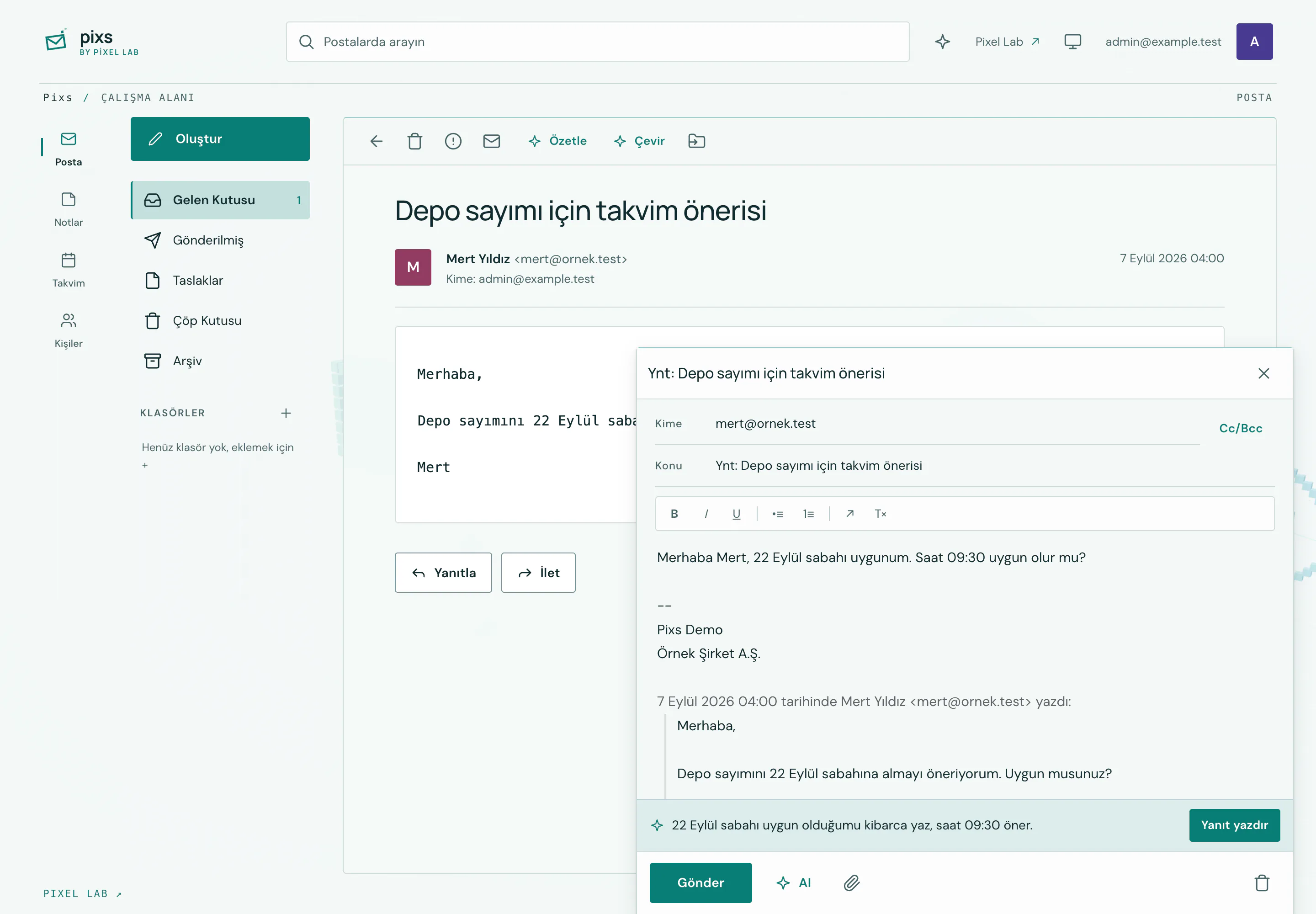
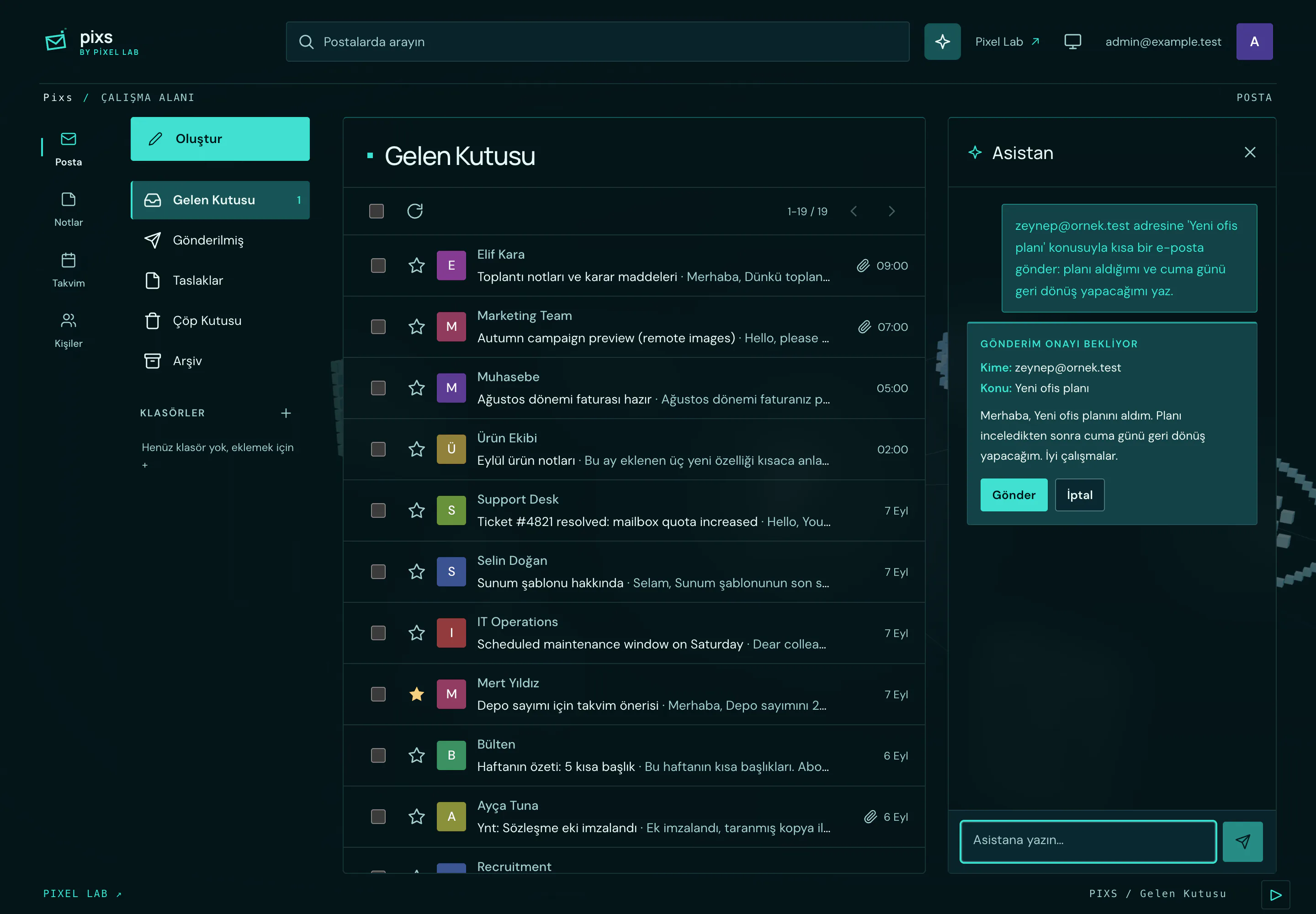
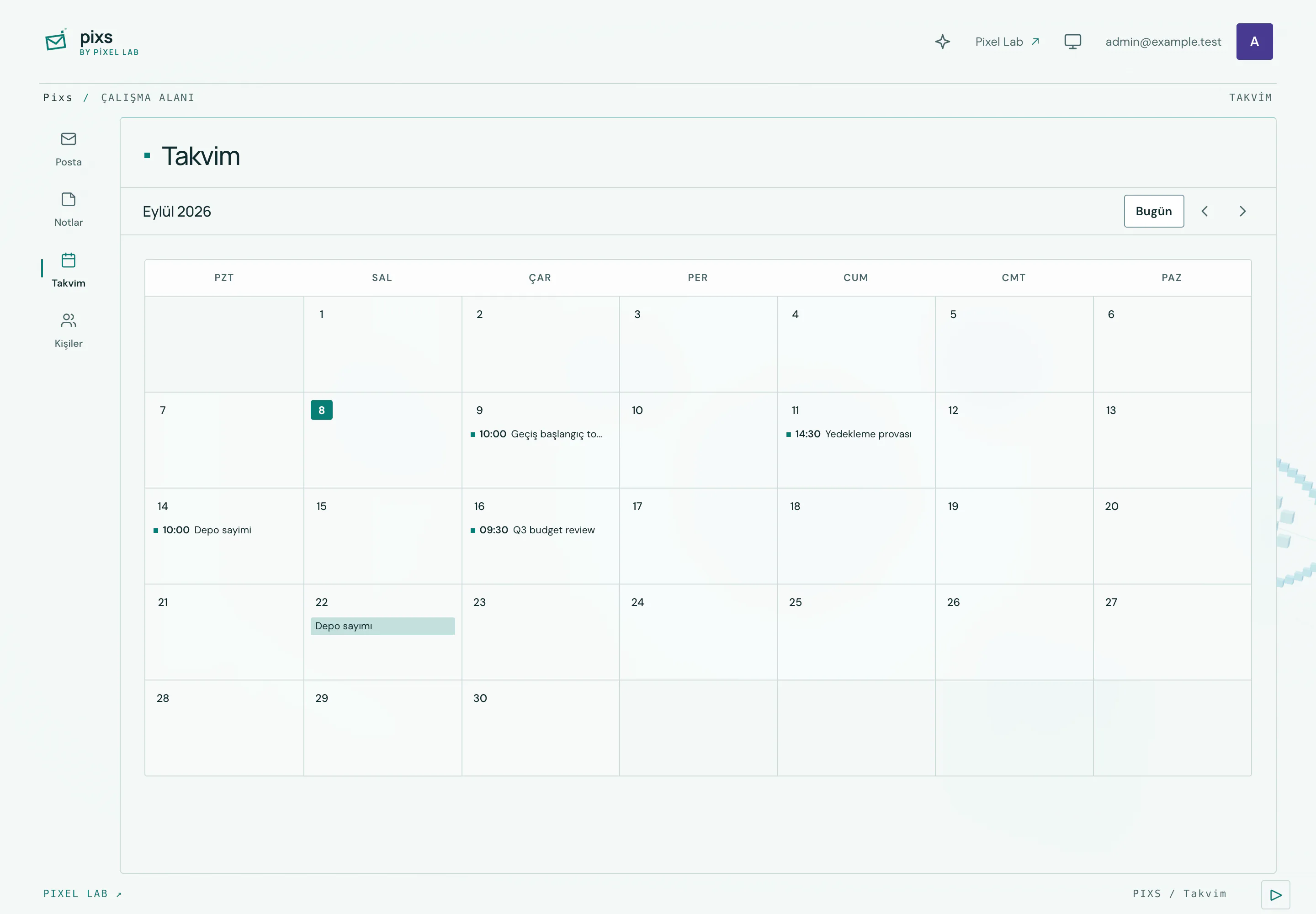
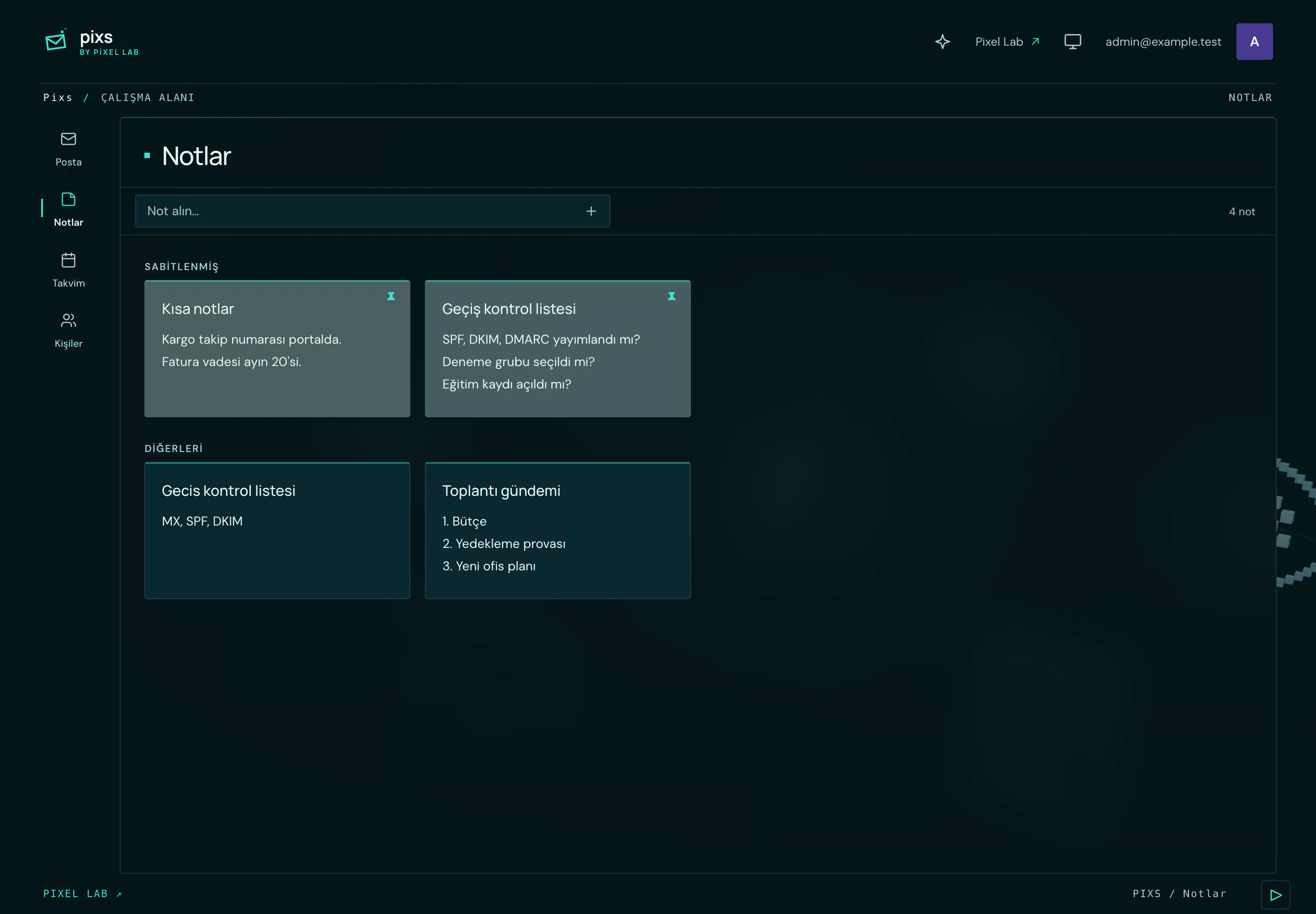
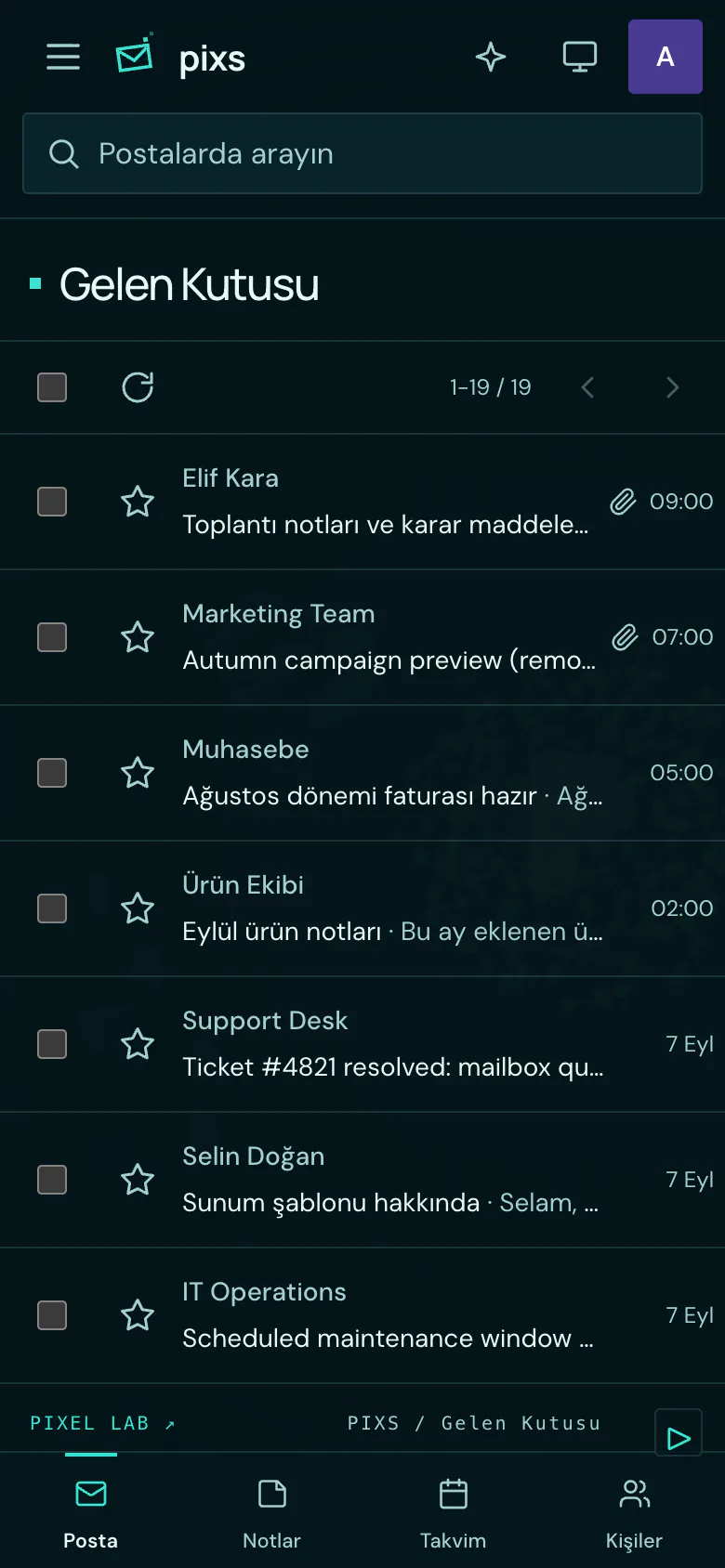
How it works
- 01
Open your workspace
Read email, calendar and notes in one place.
- 02
Ask the local model
Summaries, translations and reply drafts are prepared by the local model service defined during setup. No content is sent to external AI providers.
- 03
Review and send
When the model proposes a send, the draft is held on the server. No email leaves until you approve the recipients and the content.
Capabilities
The label under each card shows how far that capability has been verified.
Inbox, folders, drafts and conversations. Exercised end to end in a local environment against fake IMAP and SMTP servers.
Tested locallyMail reliability
Connection pooling, reconnect and backoff, cache invalidation when UIDVALIDITY changes, and protection against duplicate sends.
Tested locallySafe message rendering
Message HTML is sanitised and isolated with CSP; remote images pass through a signed, SSRF protected proxy; attachments are validated.
Tested locallyCompany and account isolation
Tenant, membership and connection models; every private record and uniqueness key is scoped to a company.
Tested locallySession and write protection
Server side opaque session tokens, a sign-in rate limit, and origin checks on every mutation.
Tested locallySecret management
Mail and service secrets are sealed with AES-256-GCM; keys are versioned, rotation is supported, and the API never returns a raw key.
Tested locallyLocal model only
Call paths to external AI and translation providers were removed; there is no fallback to an external service, and model addresses are limited by an allowlist.
Tested locallyQuota and send approval
An atomic quota reservation before the model call, reconciled afterwards with real token counts; sending is gated by a single use, time limited server side intent.
Tested locallyOperations and backup
Retention windows, encrypted backups, a restore rehearsal and a health endpoint.
Tested locallyShared design system
One token contract, four presets and a custom palette, light, dark and system modes, local fonts, and measured contrast.
Tested locallySummaries, translation and reply drafts
Connects to the local model service defined during setup. The runtime and the model have not been selected yet, and the feature has not been exercised independently against a real model service.
Present in codeCalendar, notes and contacts
Plans, notes and the address book sit next to your conversations. The interface was seen with local demo data; no separate functional test was run.
Present in codeAI and data flow
AI operations run on a local model service on our own infrastructure. Content is not sent to external AI or translation providers for these operations, and there is no fallback to an external service. This does not mean that no data reaches any third party: an email you send leaves your mail server and arrives at the server of the recipient, and the recipient is a third party. Data moves in three places. The first is the mail server, which Pixs connects to over IMAP and SMTP. The second is the application database, which caches the messages and folder lists it displays. The third is the local model service, which processes only the text used for the summary, translation or reply draft you ask for. Where the model runs, which text is sent to it and how long anything is retained are written down during setup.
- Model location
- A server or private network controlled by the operator
- External AI provider
- Not used in this version
- Fallback to an external service
- Disabled
- Implementation status
- Local model only, implemented and tested locally
- Runtime and model
- Not selected yet
Setup and scope
You need a mail account with IMAP and SMTP access. The initial audience is teams using Pixel Lab mail infrastructure, and the product was built with that setup in mind. Setup works by reading your existing mailbox over IMAP, so your mail does not have to be moved anywhere. That does not mean there is no preparation: server addresses, the authentication method, connection security and the folder layout are reviewed together first, and user accounts are defined. How long setup takes depends on the number of mailboxes and on server conditions, and no duration is committed to. Testing so far has been done in a local development environment against controlled fake IMAP and SMTP servers; verification against a real mail server is the first step of an installation.
Limitations
Gmail, Microsoft 365 and OAuth based sign-in have not been tested and are not offered as supported providers. Testing so far has been local, against controlled fake IMAP and SMTP servers; the product has not been verified in production or against a real mail server. Search currently covers the sender, subject and recipient fields, not message bodies. When the mail server cannot be reached, cached lists and messages are not served either, because unverified cache is not shown. The local model service is defined during setup; the runtime and the model have not been selected yet. There is no public sign-up, free trial or self service purchase; the setup scope is agreed per team.
Demo and commercial approach
Setup, account count, support scope and AI usage are assessed together. There is no published price list and no self service purchase; a demo request does not start a purchase or an automatic subscription.
- Briefly describe your needs.
- Review relevant workflows and setup scope with us.
- Explore the product using sample data.
This form requests a demo discussion. It does not create an account or a free trial. Do not share mail passwords or private email content.
Request a demoFrequently asked questions
Is Pixs an email server?
Pixs is an email client for existing mail infrastructure. Mail hosting and account provisioning are assessed separately.
Where does my data go when I use AI?
AI operations run on a local model service on our own infrastructure; content is not sent to external providers for AI or translation, and there is no fallback to an external service. This does not mean that no data reaches any third party: an email you send leaves your mail server and arrives at the server of the recipient. The application also caches the messages it displays in its own database. Where the model runs and how long anything is retained are written down during setup.
Does it support every mail provider?
The current architecture uses IMAP and SMTP. Gmail, Microsoft 365 and OAuth based sign-in have not been tested and are not offered as supported providers. The authentication and connection requirements of your server are reviewed together first.
Have these capabilities been verified in production?
No. A Tested locally label means the feature was exercised in a local development environment with automated tests and in a browser. No capability currently carries the Verified in production label; the product has not been verified in production or against a real mail server.
Can I see the product screens?
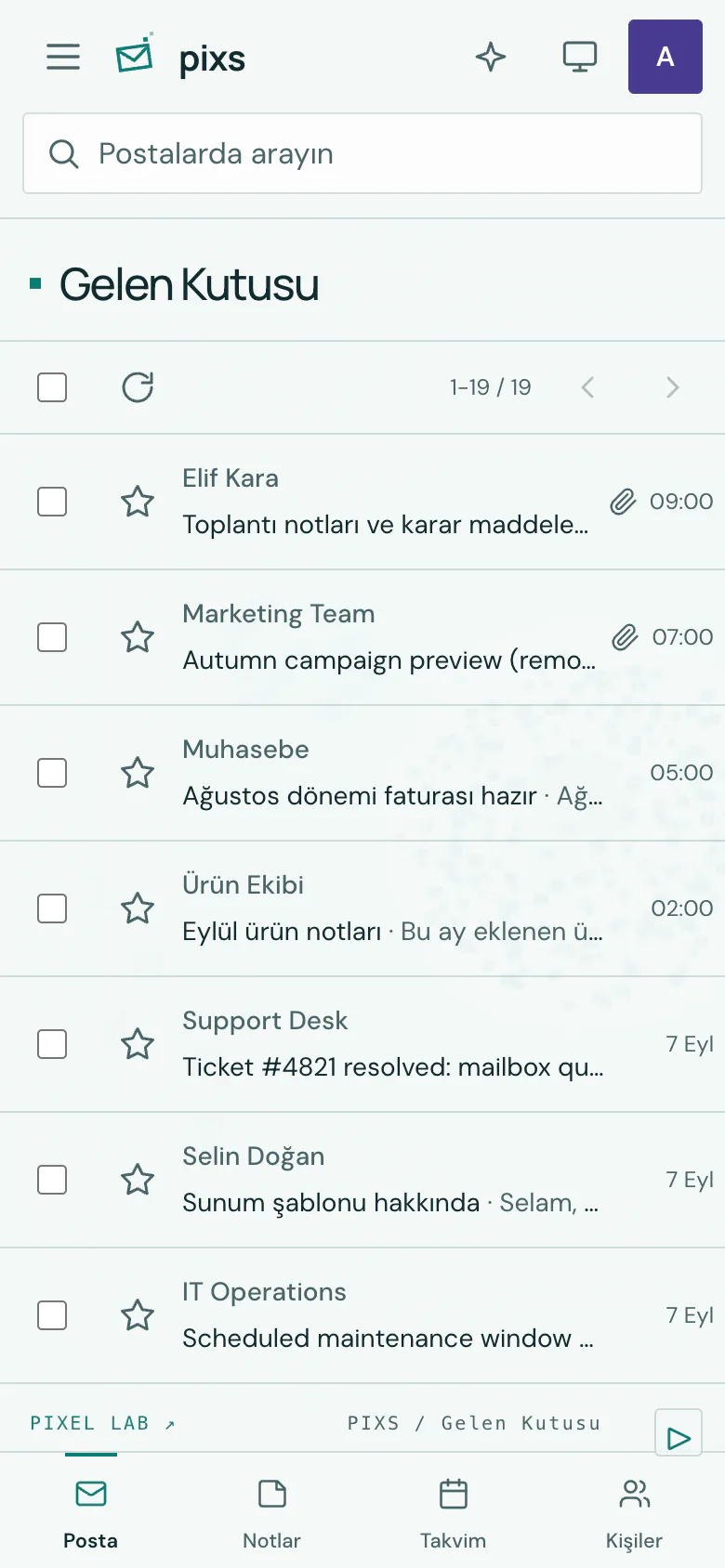
Yes. The Product screens section on this page holds nine real screens: the desktop inbox in dark and light theme, an AI summary in the reading view, an AI reply draft, a send approval, the calendar, notes and two mobile views. All of them were captured from a running production build and their content is synthetic demo data, so no real customer mail, contact or attachment is shown. The interface text in the captures is Turkish.
Does requesting a demo start a paid subscription?
No. A demo request is for a product introduction and needs assessment. Commercial terms are provided separately.
Support
Write to us with your questions about the product.
info@pixellab.com.trSource review: 2026-09-08. Authenticated features were exercised in a local development environment against controlled fake IMAP and SMTP servers; they were not verified against a real mail server or in production.